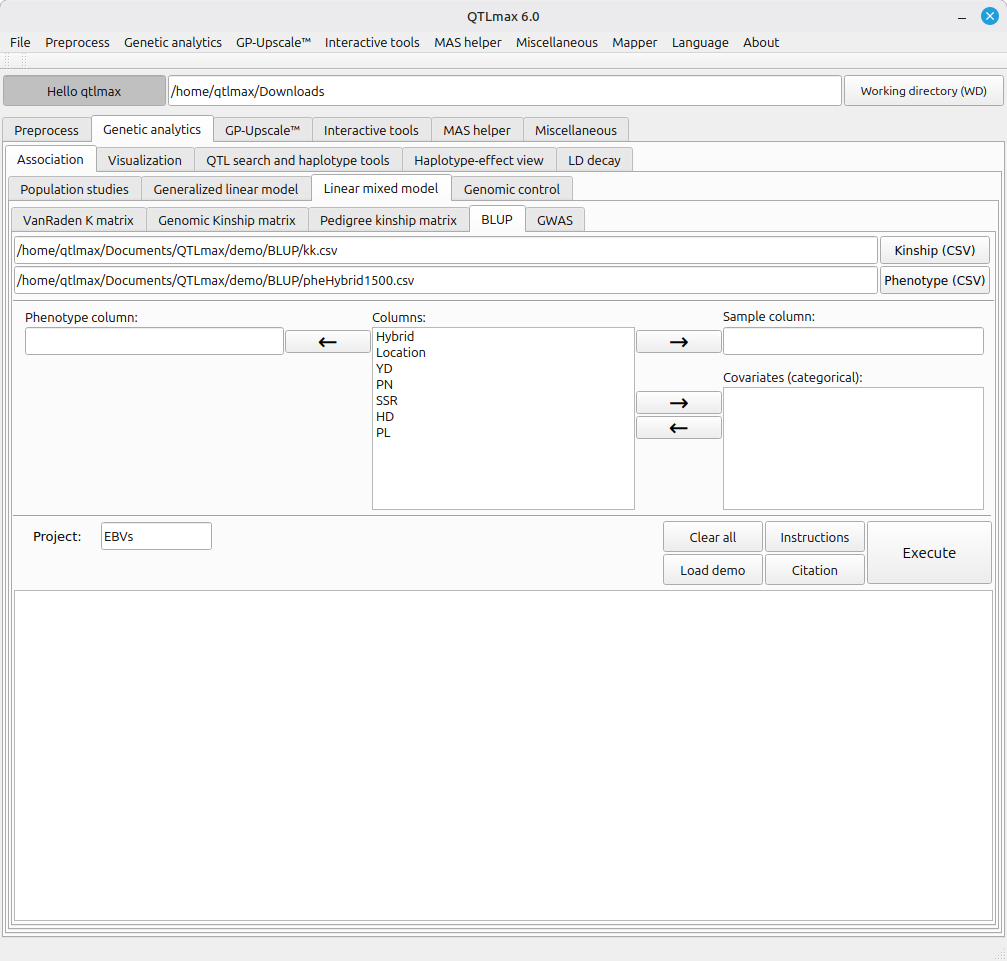
Figure 1 displays the BLUP tab page selected. After clicking the [Phenotype (CSV)] button and selecting a phenotype file in CSV format, the header values of the phenotype file will be listed in the “Columns” text box. (Figure 1)
(Figure 1)
The BLUP tab requires a few settings, each configured as follows:
- Send the header value designating the sample to the “Sample column” textbox.
- Send the header value designating the phenotype to the “Phenotype column” textbox.
- If categorical header values for environmental factors (e.g., location, year, replication, treatments) exist, send them to the “Covariates (categorical)” textbox.
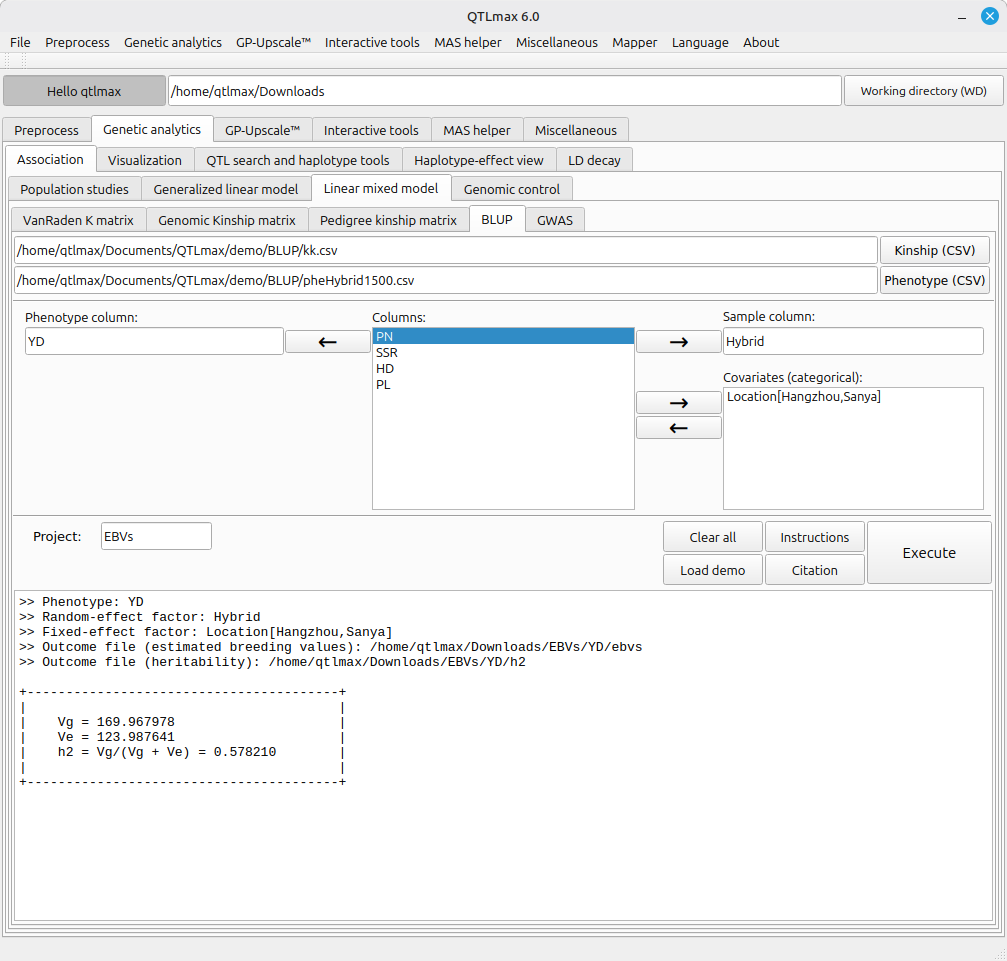
After completing all settings, click the [Execute] button to start the BLUP calculation. Figure 2 shows the appearance.
(Figure 2)