This post explains how to perform Elastic Net cross-validation (CV) prior to genomic prediction. Elastic Net CV is a well-known machine learning method used to select a subset of SNPs, which helps improve genomic prediction accuracy. Specifically, this procedure iteratively performs CV using Elastic Net across a range of lambda (λ) values. It is important to note that users do not need to manually define these λ values; the software automatically generates and scans them internally.
To perform CVs, the population is repeatedly split into training and validation sets for each λ. While Elastic Net CV is computationally intensive and repetitive, it is a valuable pre-processing step because it can substantially improve the final prediction accuracy. In order to mitigate the computational burden, QTLmax 6.0 supports GPU acceleration. It is important to note that as of June of 2026, QTLmax 6.0 supports AMD ROCm or NVIDIA CUDA.
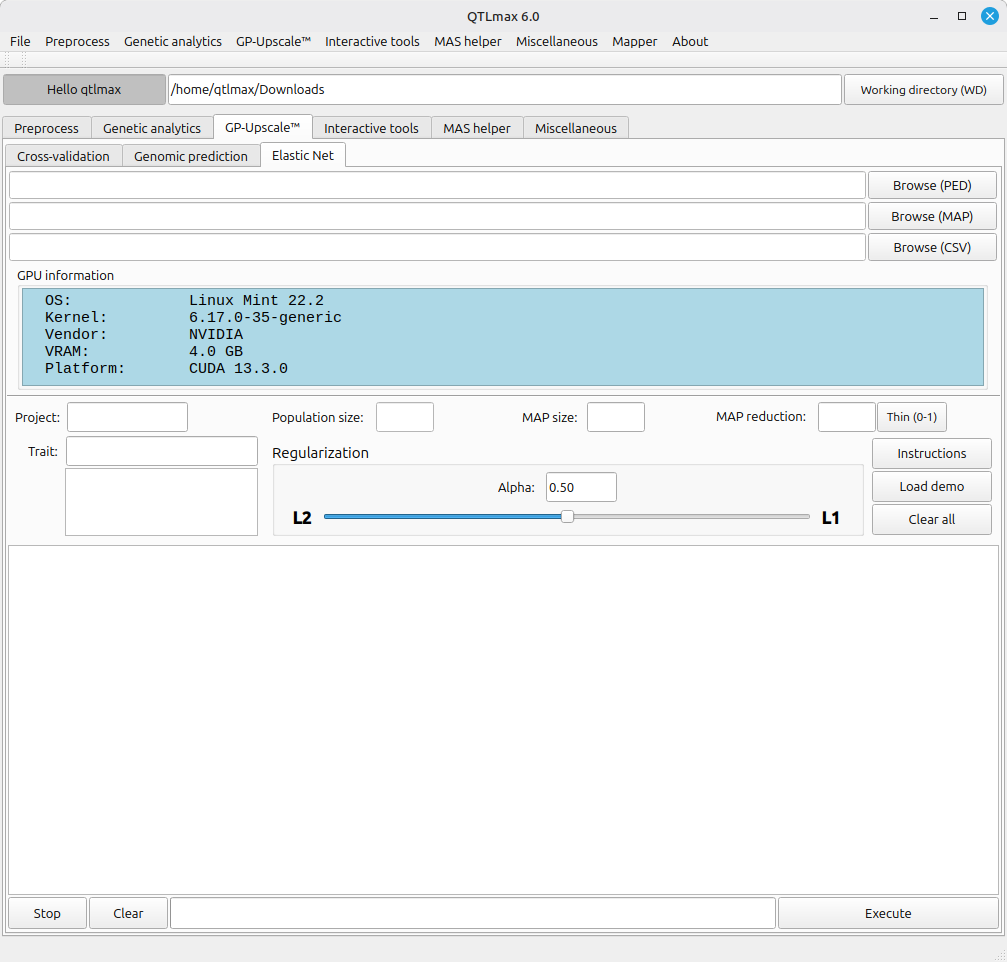
Figure 1 shows the “Elastic Net” tab selected in QTLmax 6.0.
(Figure 1)
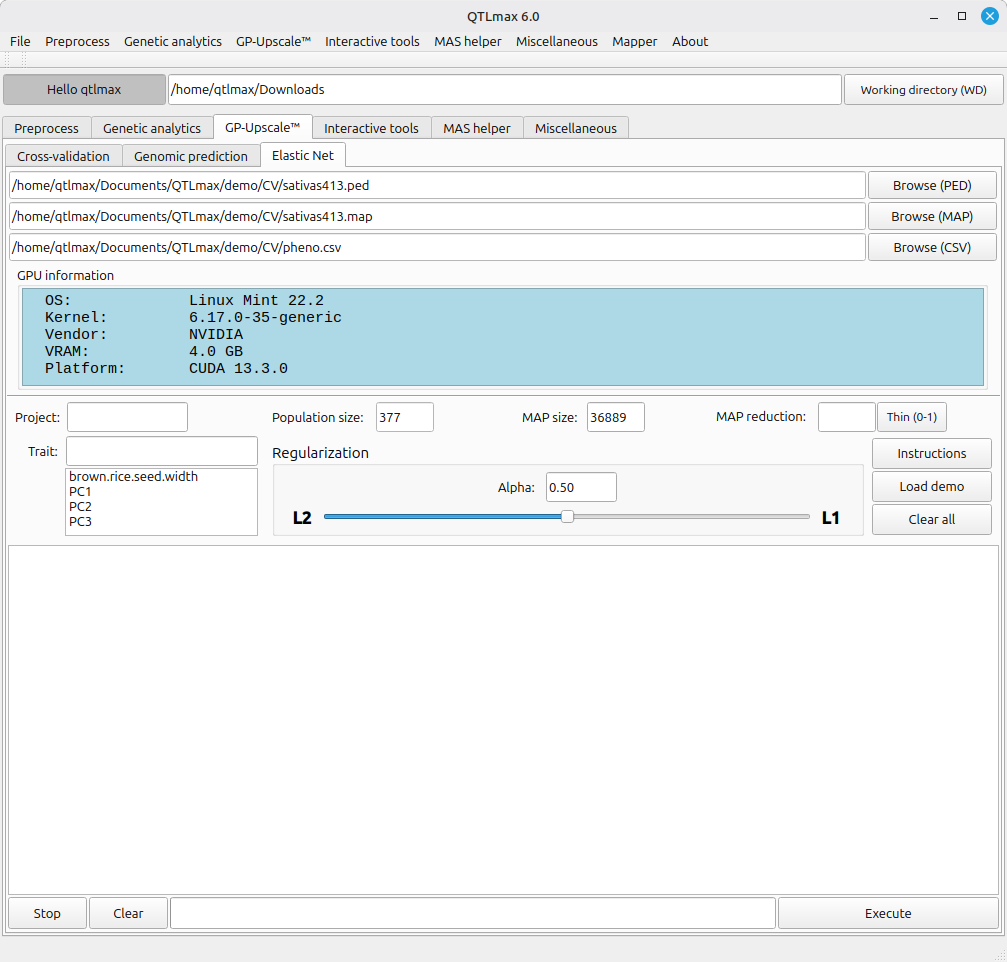
Figure 2 shows that once all required input files are chosen, the “Population size” and “MAP size” fields are automatically populated.
In Elastic Net, Alpha acts as the balancing parameter that determines the blend of L1 and L2 regularization. Shifting Alpha closer to L1 (Lasso) tightens the marker selection by forcing more coefficients to zero, while shifting it closer to L2 (Ridge) loosens the selection, allowing a larger number of markers to remain in the model. In QTLmax, by default, the Alpha value in the Regularization box is set at 0.50. Please note that this is merely a default setting and is not necessarily the most recommended value for every analysis.
(Figure 2)
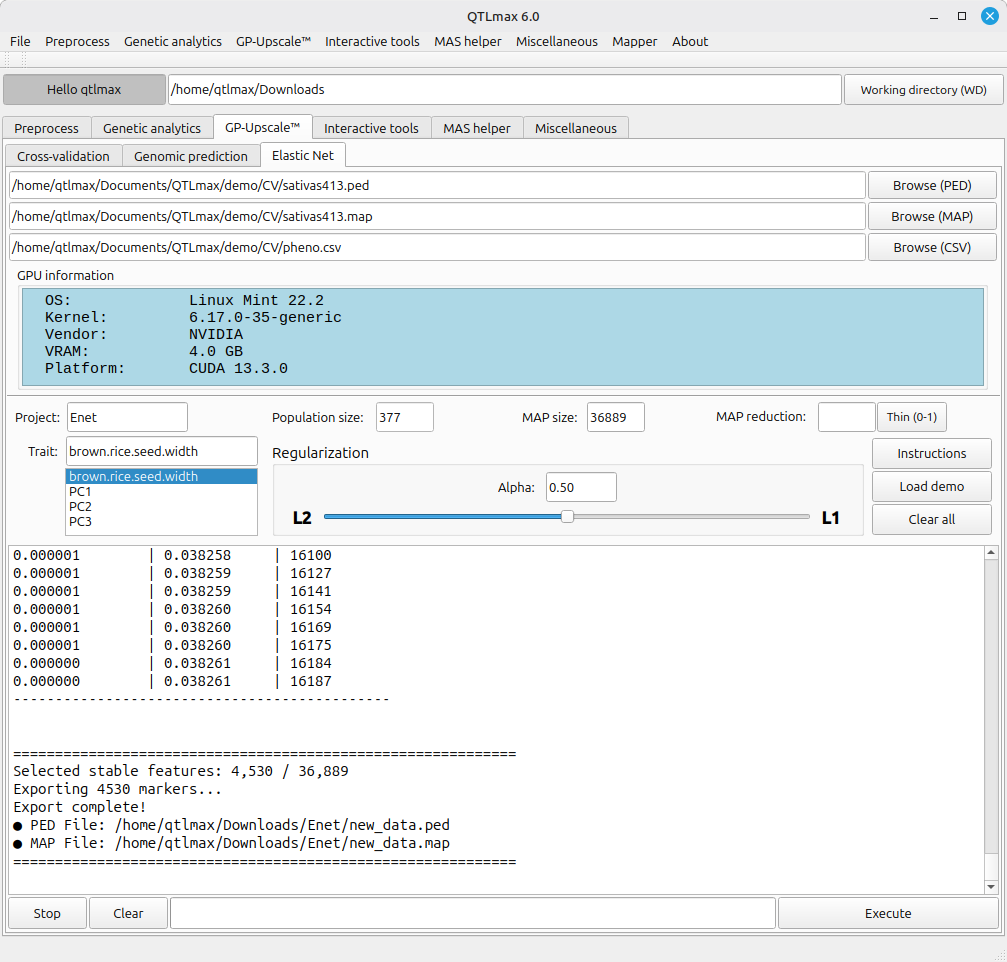
Figure 3 illustrates the interface after computation is completed. It is important to note that results may vary slightly due to the stochastic nature of cross-validation, even with identical inputs.
(Figure 3)